
Voice first · your machine
Say its name.
It comes forward.
Ghost is a voice assistant that lives on your Linux desktop. Call it and it floats in beside your work, reaches into the apps you connect, answers out loud, and drops back to a line of light when you're done.
Download for LinuxSource on GitHub
Free and open source, MIT. Version 2026.11.0, for Ubuntu 24.04 and 26.04 or any distribution with the AppImage.
A still of the floating room.
The float
The window stays closed.
Most of the time Ghost is a thin line at the bottom of your screen. Say “Ghost” and it comes forward beside what you're working on, without taking the screen or the keyboard: clicks go straight through to your work. You can tell what it is doing without reading a word.
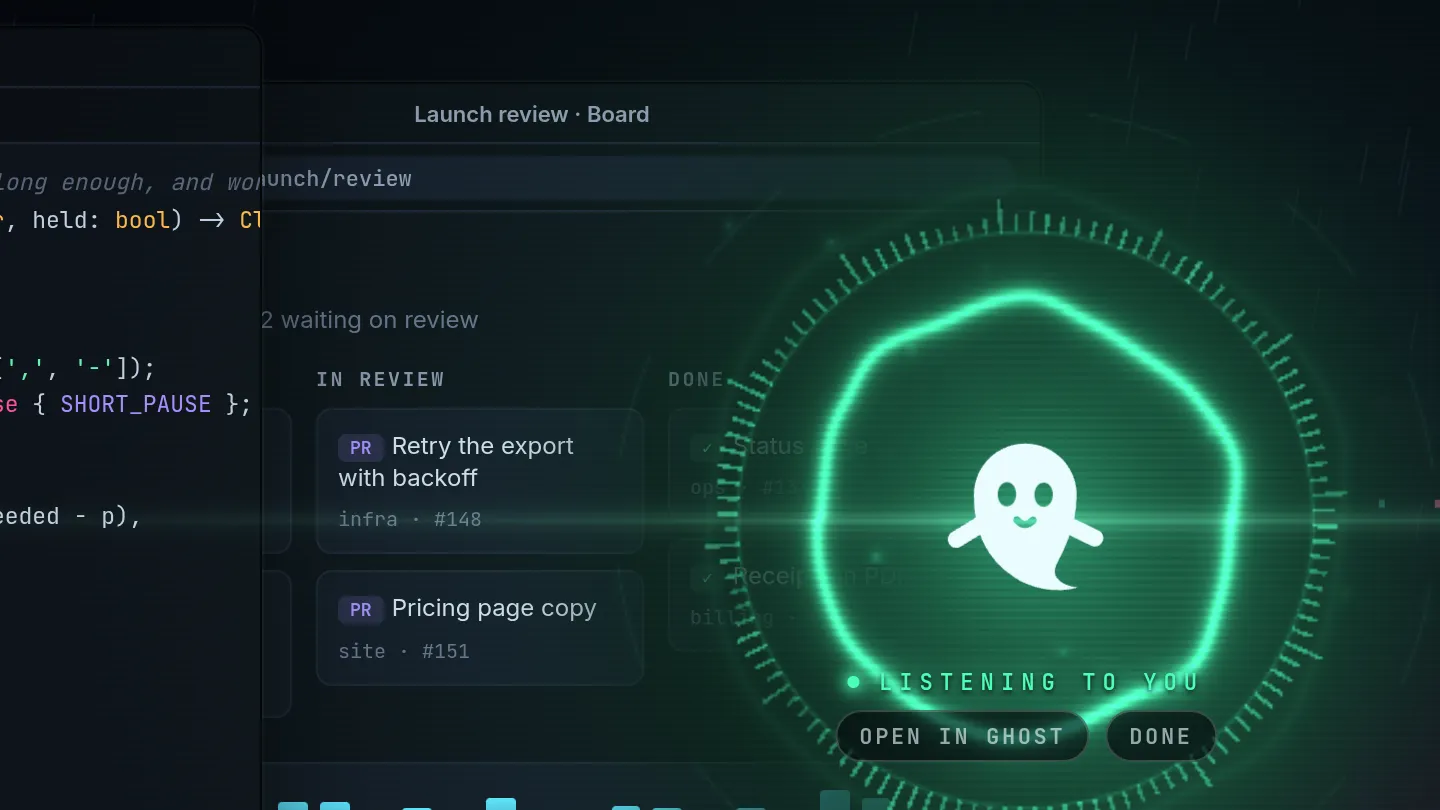
Listening
Green while it hears you. No transcript: you know what you said.

Reaching
A beam to every app and agent it looks in, lit while the call runs.

Speaking
Its own voice moves the light. You hear the answer; you don't read it.

Waiting for your yes
The one thing it asks you to read: say yes, or press it.
The float is optional (Settings › General), hides while your screen is shared unless you choose to show it, and needs X11 or XWayland, which GNOME on Wayland has by default. How it works.
What Ghost does
An assistant you talk to, on hardware you own.
- Talk to it across the desk.
- Say “Hey Ghost” and ask. It answers out loud, you can talk over it, and “that's all” sends it away. Typing works too.
- It runs where you work.
- The assistant, its ears and its voice run on your Linux desktop. There is no Ghost account and no Ghost server.
- It uses the apps you connect.
- GitHub, Linear, your calendar, and any app that speaks the Model Context Protocol. Connect it once, sign in or paste a key, and every agent can use it.
- A team that works while you don't.
- Hire agents with their own job, voice, memory and look. They run on a schedule with nobody there and leave what they found on a list for you.
- It tells you what it changed.
- By default it does what you ask and says what it did. Your permissions name what it must ask about first or never do; every change is in an audit log, and there is no undo: to reverse something, ask for the opposite change.
Privacy
Before its name, nothing leaves the machine.
That line is Ghost waiting. While it waits, the microphone feeds only models on your own processor: voice activity, the wake word and speech-to-text. What it hears is checked for its name and dropped: not logged, not stored, not shown.
- Its ears and voice are local
- Parakeet hears you and Kokoro speaks, both on your own processor. Your voice leaves only if you turn on the optional realtime voice.
- You choose the model
- After the wake word the conversation goes as text to the provider you pick: Anthropic, OpenRouter, OpenAI, or a local model in Ollama or LM Studio, and then nothing leaves at all.
- Passwords in its own vault
- Encrypted, keyed by your login keyring, never shown again, never logged, never given to the model.
- Off means off
- Turn listening off and no microphone is opened at all until you turn it back on. Typing still works.
- What it keeps stays home
- Transcripts after the wake word and the audit log live under your home folder, never uploaded by Ghost. Delete the folder and they are gone.
What Ghost fetches by itself: the speech models once, from their publishers, and once a day a check of GitHub for a new release that carries nothing about you (you can turn it off). The whole account is the README'sPrivacy section. This site has no analytics, sets no cookies and loads nothing from anyone else.
Open in Ghost
When you'd rather read, the app is a briefing.
The day, the live conversation, what Ghost is watching and every change it made.


Say “Ghost”
Ghost 2026.11.0.
The first release. From here on Ghost updates itself: it checks once a day and installs a new version only when you press Update and restart in Settings › General.
Download Ghost 2026.11.0.deb for Ubuntu 24.04 and 26.04 · AppImage for the rest · x86-64
Download
heka-ghost-desktop_2026.11.0_amd64.deb, or the.AppImagefor other distributions (it needs FUSE 2).Install
Open it with App Center, or
sudo apt install ./heka-ghost-desktop_2026.11.0_amd64.deb. apt brings what it needs.Open Ghost
The first run does the rest: its ears and voice (2.9 GB, downloaded once with progress), a model, the microphone, the wake word, a voice, an app and an agent. Every step can be skipped.
It needs a model (a key from Anthropic, OpenRouter or OpenAI, or a local model in Ollama or LM Studio), a microphone and speakers or a headset (or type to it), and about 3 GB of disk; the speech models run on the CPU, no graphics card.Build from source instead.
Where it stands
Young, and built at one desk.
Ghost works end to end on a stock machine, but it was built for one person's desk, and it shows. The rough edges we know about:
- Waking
- How well it hears its name depends on the microphone, the room and the music. A headset or a good USB microphone does much better than a laptop's.
- Speed
- A reply's pause is mostly the model. A slow provider, or a large local model on a CPU, makes Ghost wait; it tells you when it is too slow and what would help.
- Sound
- Tuned on one setup, a microphone array. Open speakers need the echo canceller it can set up for you, or headphones.
- The float
- Needs X11 or XWayland (GNOME on Wayland has it), and hides while your screen is shared unless you choose to show it. No native Wayland, KDE or wlroots version yet.
- Platforms
- Linux only, x86-64. The .deb and AppImage are checked on clean Ubuntu 24.04 and 26.04, not yet on many people's machines. The Android app is build-it-yourself.
Found another? Open an issue; CONTRIBUTING.md says what to put in it.